
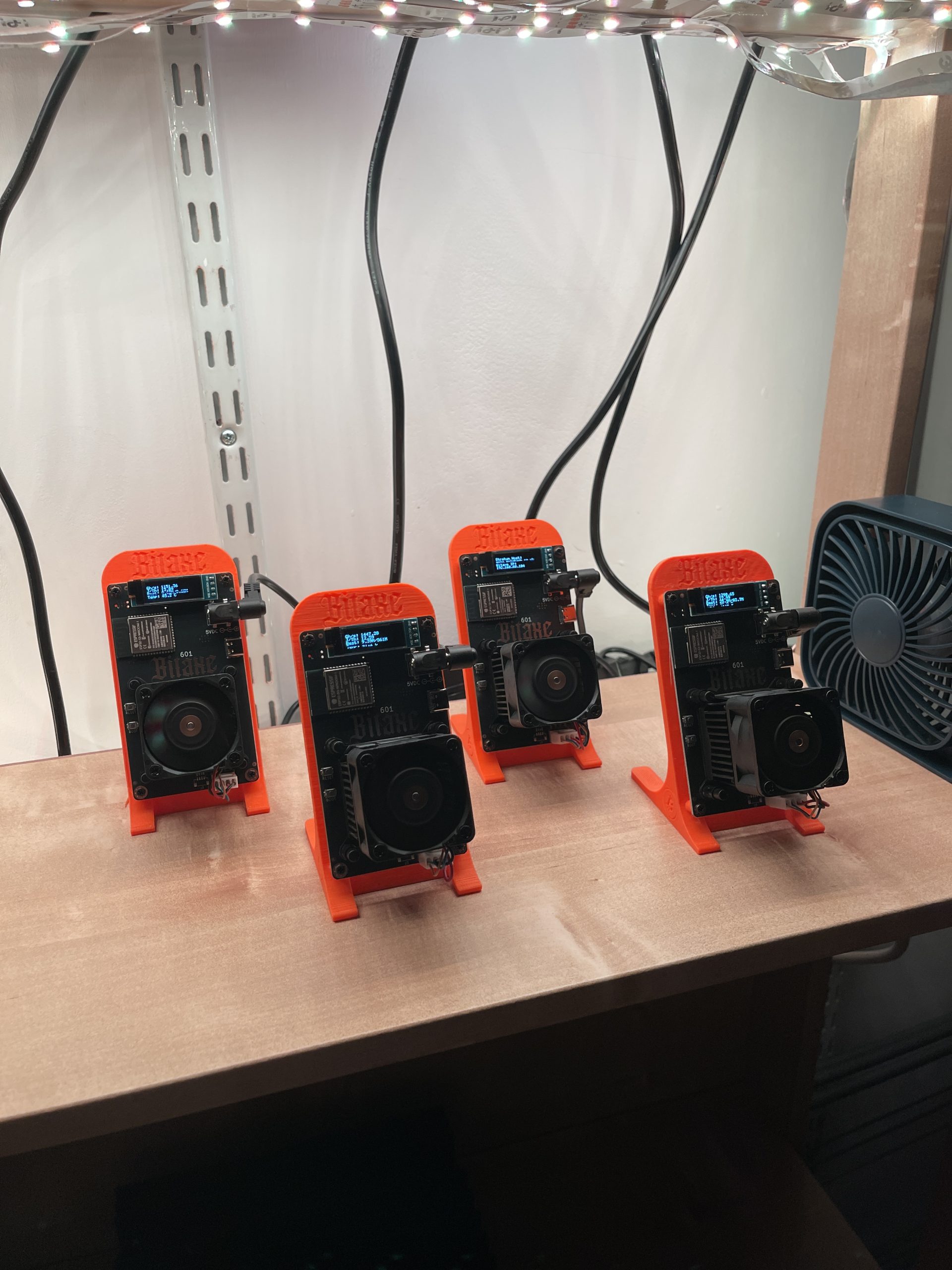
Sometimes a tech experiment begins with a simple observation. In my case, it was watching my solar power stations regularly reach full capacity before noon. With all that unused energy and no extra batteries to store it, I began asking: what could I power that’s efficient, continuous, and self-contained?
Solar Power Setup
I currently run two portable battery systems:
- ALLPOWERS R1500 (1152Wh)
- EcoFlow Delta 2 (1024Wh)
Both are charged via portable solar panels and often reach full charge by midday. After that, the panels continue generating power with nowhere to send it.
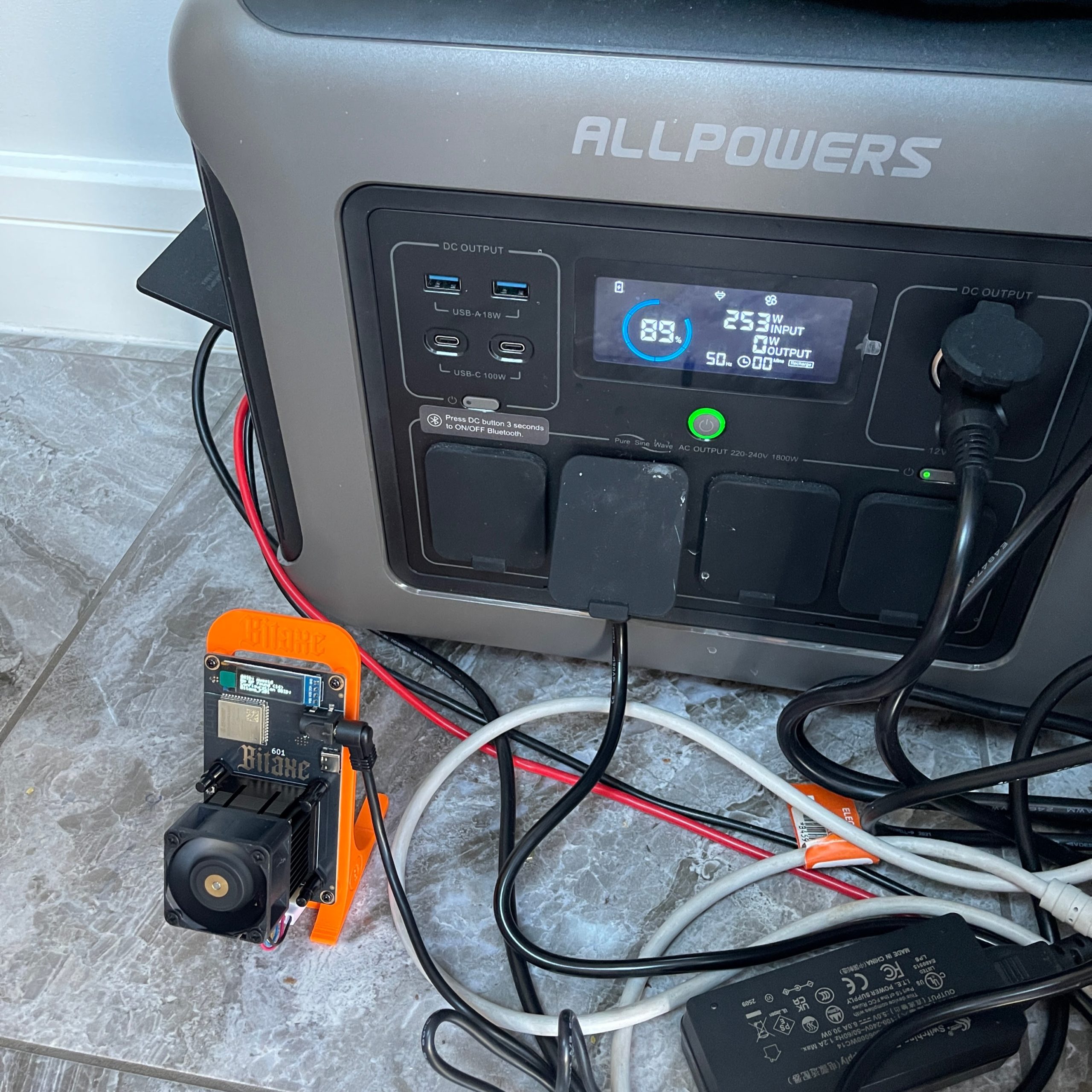
The Problem: Wasted Solar Energy
Without extra storage, the system essentially shuts down after charging. I wanted to put that excess energy to use—preferably in a way that’s passive, self-sustaining, and technically interesting.
The Solution: Bitaxe Gamma 601
That led me to the Bitaxe Gamma 601, a solo SHA256 miner that runs on just 15 watts while delivering around 1.2 terahashes per second. Its incredibly low power consumption made it a perfect match for my solar energy surplus.
How It Works in My Setup
I connected the Bitaxe to my battery system and began mining DigiByte (DGB) via SoloPool. The miner runs all day on stored solar energy, using electricity that would otherwise go to waste. I’ve experimented with both solo and pool mining, depending on conditions.
How to Create a DigiByte Wallet Address
Before you can start mining DigiByte, you’ll need a wallet address to receive your coins. Here are three easy options:
1. Use a Mobile Wallet (Best for Beginners)
A convenient option is to use a mobile wallet that supports DigiByte. One such wallet is Trust Wallet, which is available for both iOS and Android devices. After installing the app:
- Open Trust Wallet and tap the “+” icon to add a new coin.
- Search for “DigiByte” and add it to your wallet.
- Tap on “Receive” to generate your DigiByte address.
This address can be used for mining payouts and other transactions.

2. Desktop Wallet (Full Node)
If you prefer full control, download the DigiByte Core Wallet from the same site. It will take time to sync the full blockchain but gives you full ownership and privacy.
3. Web or Exchange Wallet (Quickest Option)
You can also use an exchange like CoinEx or KuCoin that supports DigiByte. After creating an account, generate a DGB deposit address
Why DigiByte?
DigiByte’s fast block time and decentralized nature make it an attractive coin to mine. It also supports SHA256 mining and has relatively low network difficulty—great for solo miners using low-power rigs like the Bitaxe.
The Takeaway
This experiment has turned unused solar energy into a small but consistent crypto-mining operation. While I’m not expecting to get rich, it’s a sustainable and engaging way to explore renewable-powered computing. I’ll continue testing different coins, configurations, and perhaps look into expanding storage.