
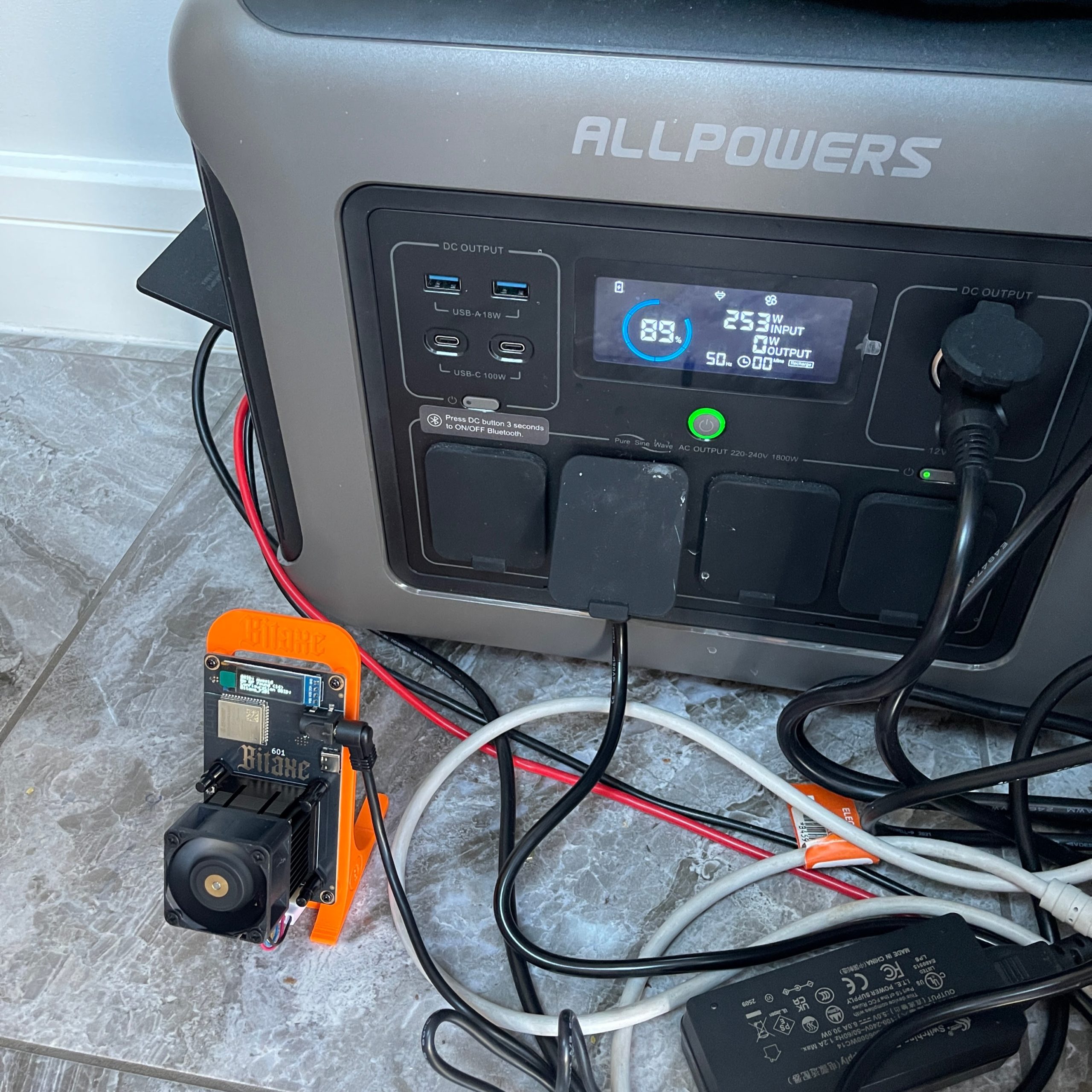
Got some solar power to spare? With a tiny investment and some DIY enthusiasm, you can turn surplus solar energy into a passive crypto income stream. This guide walks through exactly how I set up the Bitaxe Gamma 601 to solo mine DigiByte using off-grid power.
What You Need
Here’s the essential gear I used:
- Bitaxe Gamma 601 – ultra-efficient SHA256 miner (15W)
- ALLPOWERS R1500 or similar power station
- EcoFlow Delta 2 as a secondary power source
- 100W+ portable solar panel
- Wi-Fi or Ethernet access
- DigiByte wallet address
How to Create a DigiByte Wallet Address
Before you can start mining DigiByte, you’ll need a wallet address to receive your coins. Here are three easy options:
1. Use a Mobile Wallet (Best for Beginners)
A convenient option is to use a mobile wallet that supports DigiByte. One such wallet is Trust Wallet, which is available for both iOS and Android devices. After installing the app:
- Open Trust Wallet and tap the “+” icon to add a new coin.
- Search for “DigiByte” and add it to your wallet.
- Tap on “Receive” to generate your DigiByte address.
This address can be used for mining payouts and other transactions.

2. Desktop Wallet (Full Node)
If you prefer full control, download the DigiByte Core Wallet from the same site. It will take time to sync the full blockchain but gives you full ownership and privacy.
3. Web or Exchange Wallet (Quickest Option)
You can also use an exchange like CoinEx or KuCoin that supports DigiByte. After creating an account, generate a DGB deposit address under your wallet tab. This is not as secure as self-custody but is convenient.
Step 1: Connect and Configure the Bitaxe
Once powered up, the Bitaxe Gamma displays its IP address. Enter that into your browser to access its AxeOS interface.

Step 2: Configure Pool Settings
I used SoloPool.org for solo mining. In AxeOS, navigate to the Pool Configuration page and enter the following:
- Stratum Host:
eu1.solopool.org - Port:
8004 - Username: Your DigiByte wallet address followed by
.RigID(e.g.,DGBAddress.Bitaxe) - Password: Typically just
x
Click save, and the miner will begin hashing immediately.
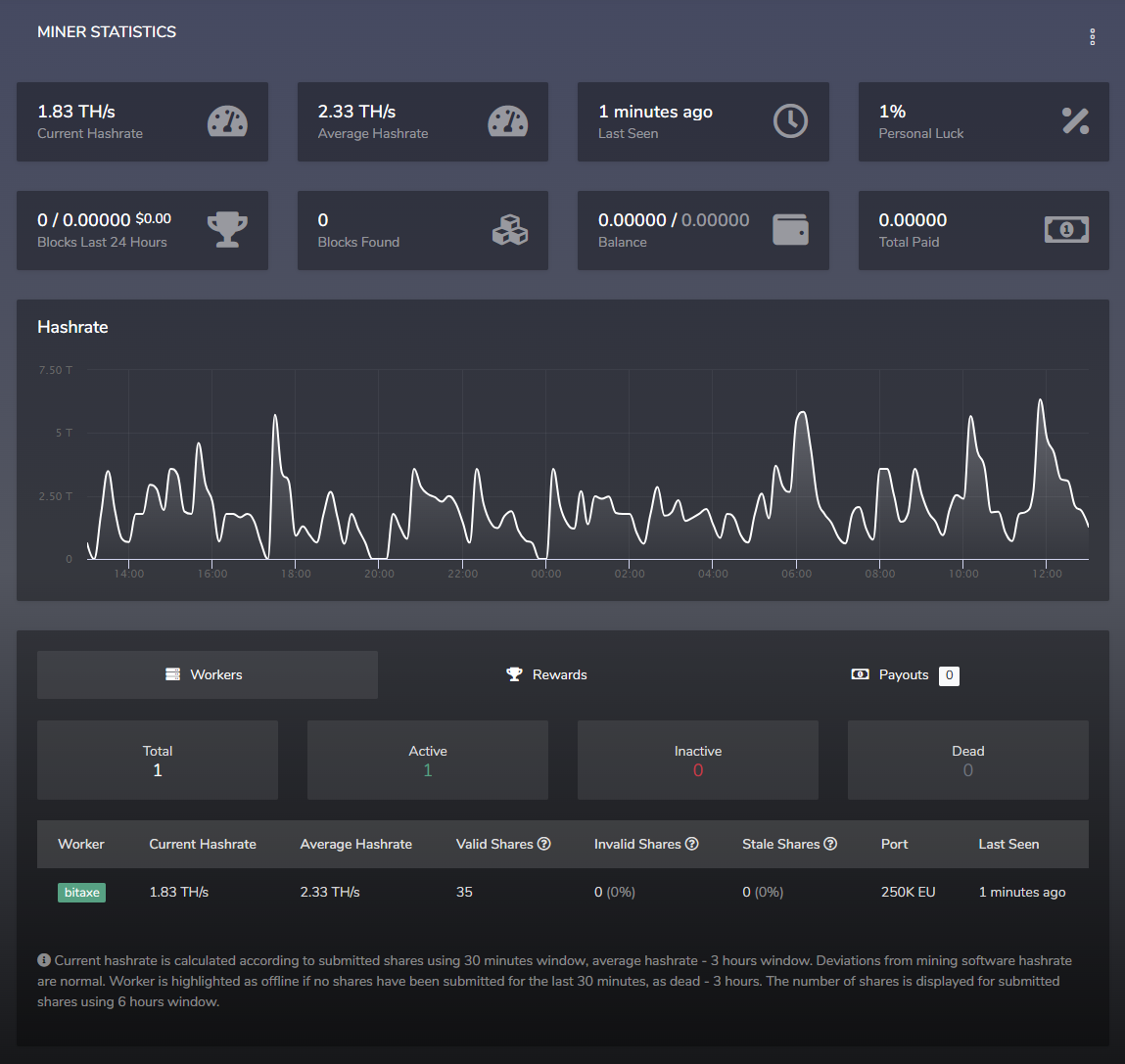
Step 3: Monitor Mining Status
Track your miner’s performance in two places:
- On the Bitaxe dashboard (AxeOS)
- On SoloPool: Visit
https://dgb-sha.solopool.org/, enter your DigiByte wallet, and view your hashrate and submitted shares.
Optimization Tips
- Keep your miner cool, especially in outdoor setups.
- Stick to stock voltage/frequency for efficiency, or tweak if you’re comfortable.
- Use a power meter to ensure your setup draws consistent solar energy.
Results So Far
While solo mining doesn’t guarantee rewards, it’s thrilling to run a mining operation entirely on renewable energy. With DigiByte’s fast block times and low fees, it’s a great coin to test this approach.
Conclusion
This setup isn’t just a fun experiment—it’s a demonstration of what’s possible when renewable energy meets efficient computing. Whether you’re into green tech or just want to explore off-grid crypto mining, the Bitaxe Gamma 601 is an excellent starting point.
Product

Bitcoin Miner Bitaxe Gamma 601 1.2TH/s Solo Miners BM1370 Asic Chip
The Bitaxe Gamma 601 features a powerful BM1370 ASIC chip, delivering a 1TH/S to 1.2TH/S hashrate with 15W/TH efficiency, ideal for SOLO miners averaging one block every 75 days. Its open-source AXE OS firmware, paired with a 0.96-inch OLED screen, enables customizable performance and real-time monitoring. Compact, portable, and equipped with a quiet 5V 40mm dual ball-bearing fan for efficient cooling, it ensures stable operation, low noise, and a prolonged lifespan, making it perfect for home mining.
ALLPOWERS R1500 Portable Power Station
The ALLPOWERS R1500 Portable Power Station offers fast 650W solar charging, reaching 0-80% in 40 minutes with a 1500W max input. Its 1152Wh capacity powers 11 devices simultaneously via 4 AC outputs (230V, 1800W, peak 3000W), 2 USB-C (100W), 2 USB-A (18W), 2 wireless chargers (15W), and a car lighter (12V/10A). The LiFePO4 battery lasts over 10 years, retaining 80% capacity after 3500 cycles, with BMS protection and a quiet 43 dB eco mode for safety and efficiency.
Renogy 100W Solar Panel 12 Volt High-Efficiency Monocrystalline Module
The Renogy 100W 12V Monocrystalline Solar Panel is a compact, reliable solution, delivering an average 500Wh of electricity daily (depending on sun availability). Weighing just 6.4 kg, it’s 8-10% lighter and smaller than conventional rigid panels, thanks to its advanced 9 Bus-bar cell technology and Half-cell structure. Crafted from 100% EL-tested Grade A+ solar cells with PERC technology, it achieves an impressive 22% cell efficiency, ensuring superior power conversion and a prolonged lifespan.