
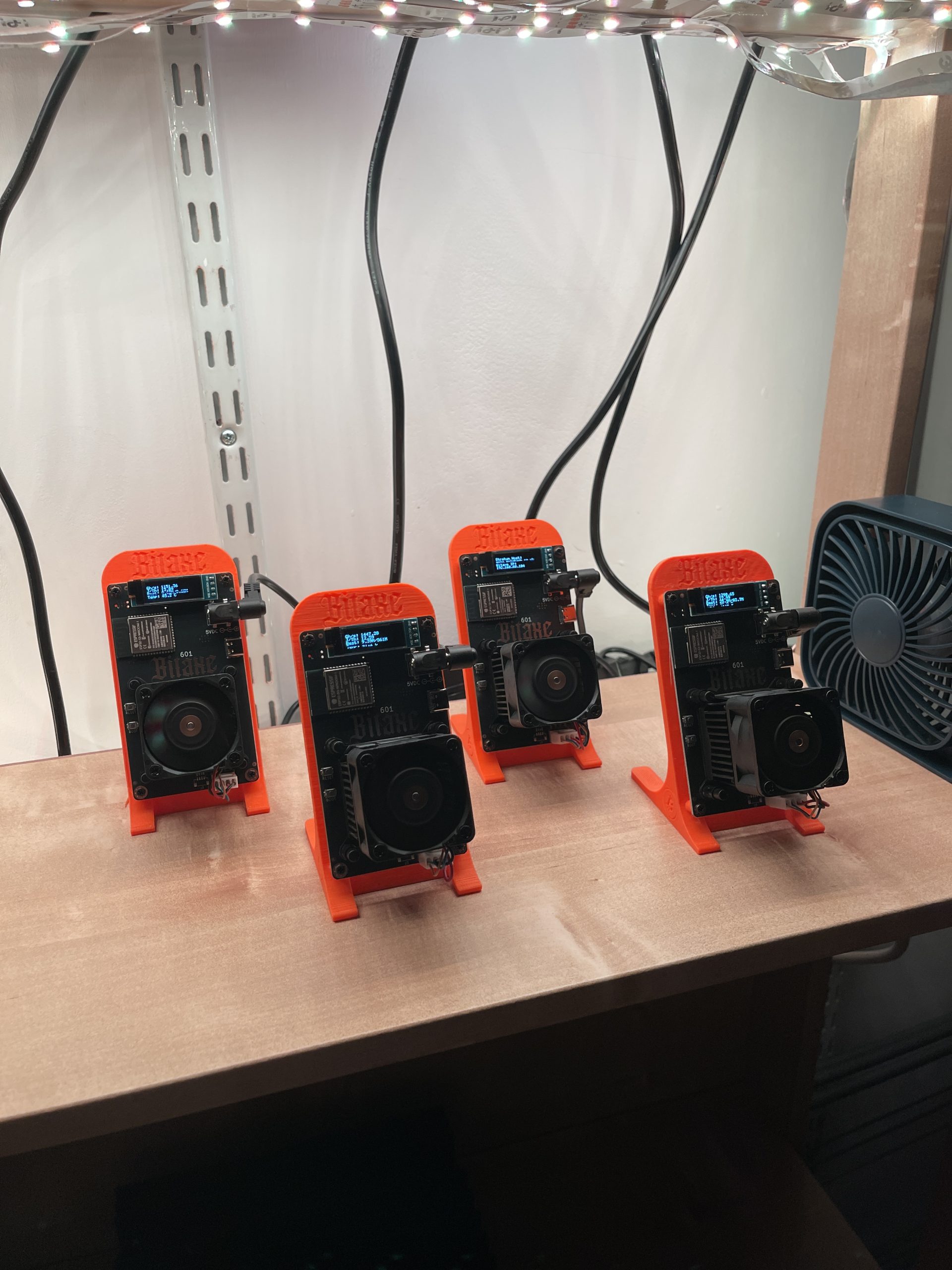
If you’re looking to get into cryptocurrency mining with a compact, energy-efficient device, the Bitaxe Gamma 601 is worth considering. This small yet powerful miner is particularly well-suited for solo mining DigiByte (DGB), a fast, secure, and decentralized cryptocurrency with a dedicated community.
What Is the Bitaxe Gamma 601?
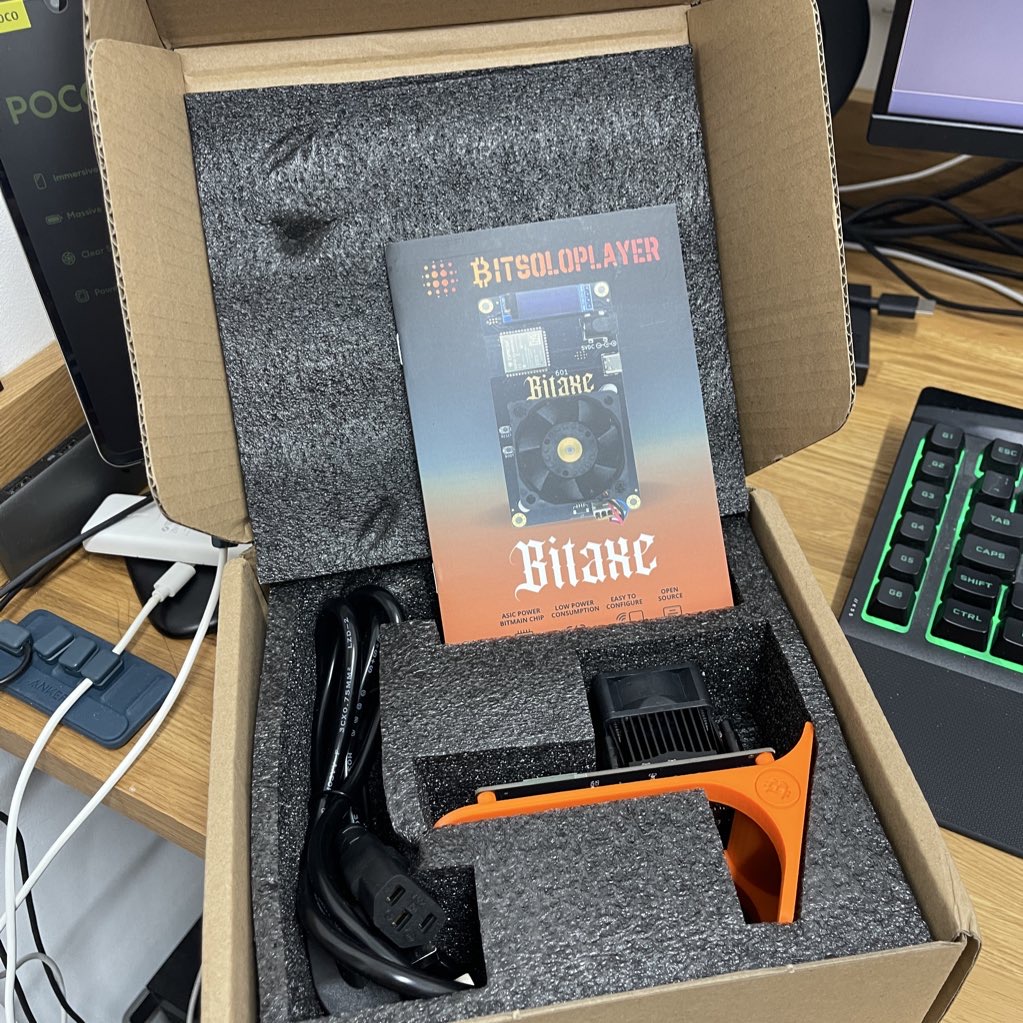
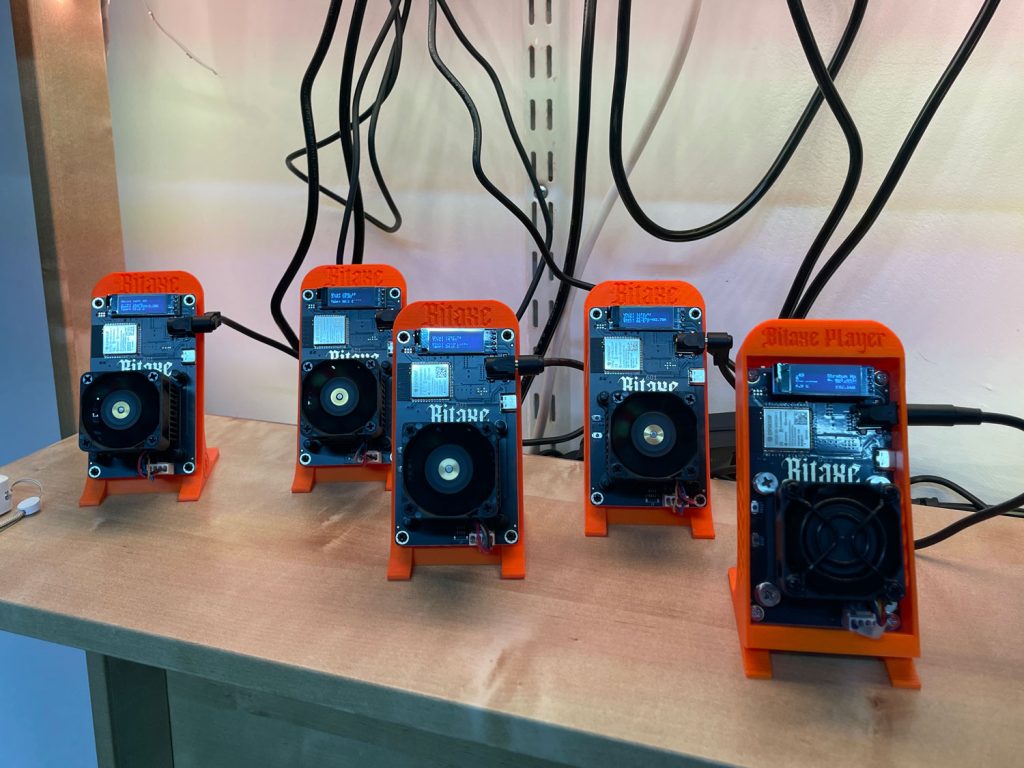
The Bitaxe Gamma 601 is a compact SHA256 mining rig designed for solo and small-scale mining operations. It boasts an impressive performance-to-power ratio:
- Hashrate: Approximately 1.2 terahashes per second (TH/s)
- Power Consumption: Around 15 watts
This efficiency places the Bitaxe Gamma 601 among the most energy-conscious mining rigs on the market, making it ideal for miners who want low overhead and a quiet setup.
Why Choose DigiByte for Mining?
DigiByte (DGB) is a rapidly growing blockchain that focuses on speed, security, and decentralization. Some reasons it stands out include:
- Fast Block Times: Blocks are confirmed every 15 seconds, significantly faster than Bitcoin or Litecoin.
- Low Transaction Fees: Ideal for microtransactions and everyday use.
- Decentralized Network: Over 18 billion coins in circulation with a maximum supply capped at 21 billion.
- Community Driven: Strong developer and user communities continuously support network improvements.
Mining DigiByte with the Bitaxe Gamma 601 lets you tap into this dynamic ecosystem while benefiting from lower mining difficulty compared to more saturated coins.
How to Create a DigiByte Wallet Address
Before you can start mining DigiByte, you’ll need a wallet address to receive your coins. Here are three easy options:
1. Use a Mobile Wallet (Best for Beginners)
A convenient option is to use a mobile wallet that supports DigiByte. One such wallet is Trust Wallet, which is available for both iOS and Android devices. After installing the app:
- Open Trust Wallet and tap the “+” icon to add a new coin.
- Search for “DigiByte” and add it to your wallet.
- Tap on “Receive” to generate your DigiByte address.
This address can be used for mining payouts and other transactions.

2. Desktop Wallet (Full Node)
If you prefer full control, download the DigiByte Core Wallet from the same site. It will take time to sync the full blockchain but gives you full ownership and privacy.
3. Web or Exchange Wallet (Quickest Option)
You can also use an exchange like CoinEx or KuCoin
Setting Up Your Bitaxe Gamma 601 for DigiByte Mining
Getting started is straightforward. Here’s a step-by-step overview:
- Power Up and Connect: Plug in the Bitaxe Gamma and connect it to your local network via Ethernet or Wi-Fi.
- Access the Interface: The device will display its IP address on startup. Enter this into your browser to open the AxeOS dashboard.
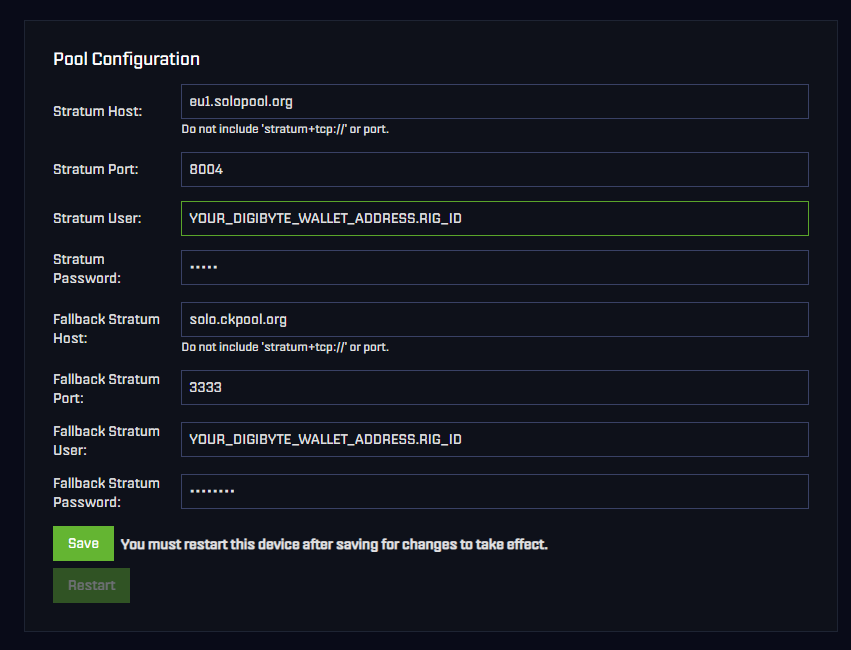
- Configure Mining Pool: For solo mining, use a service like SoloPool.org. In the “Pool Configuration” section, enter:
- Stratum Host:
eu1.solopool.org - Port:
8004 - Username:
Your DigiByte wallet address+RigID(e.g.,YourDGBaddress.Bitaxe) - Password: Usually
xor as per pool instructions
- Stratum Host:
- Start Mining: Save your settings and start hashing away.
Monitoring Your Mining Progress
You can track your mining status in two main ways:
- AxeOS Dashboard: Monitor real-time hashrate, temperature, and power usage.
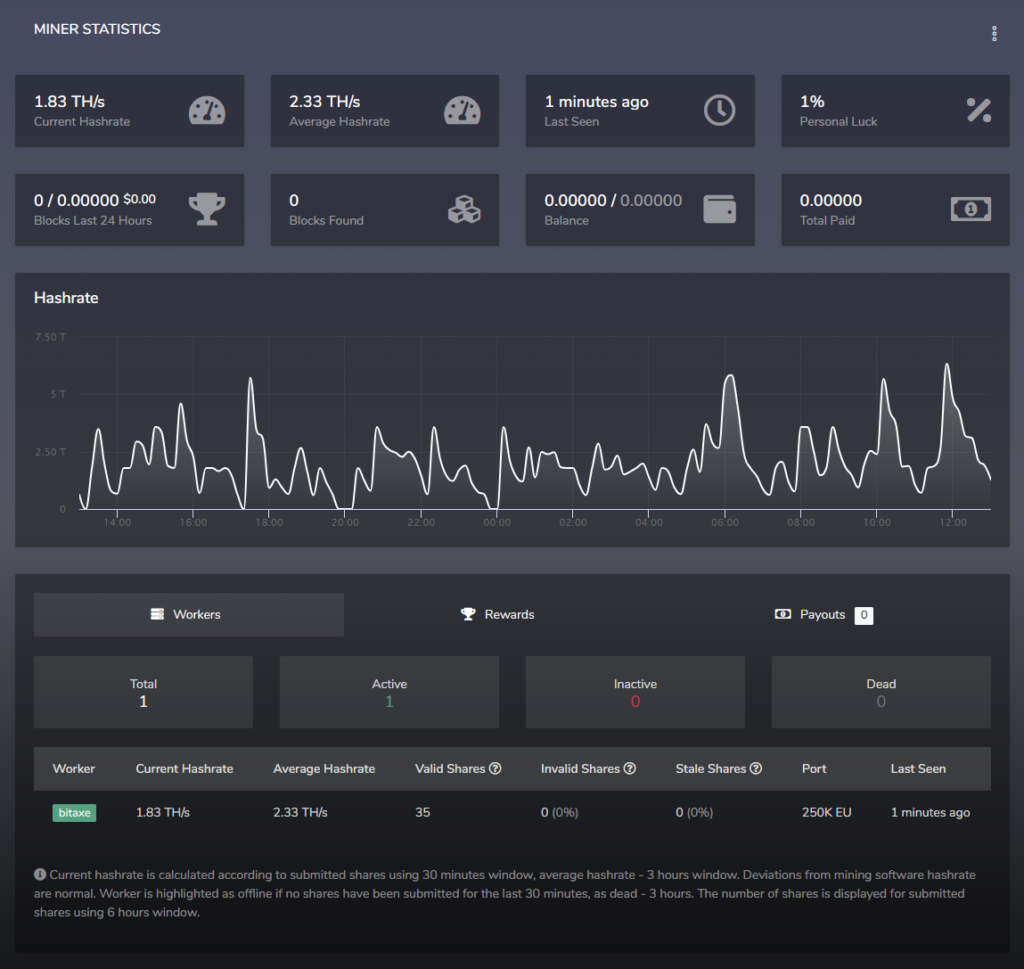
- SoloPool Stats Page: Visit
https://dgb-sha.solopool.org/and enter your DigiByte wallet address to see your shares and block rewards.
Tips for Maximizing Your Mining Efficiency
- Run 24/7: Solo mining relies on consistent uptime to increase your chances of finding a block. Use a Uninterruptible Power Supply (UPS) (e.g., APC Back-UPS 600VA) to ensure continuous operation during power outages, especially in regions with unstable power grids.
- Monitor Electricity Costs: At 15W, the Bitaxe Gamma 601 is highly efficient, but calculate your local electricity rates to ensure profitability.
- Stay Updated: Follow Digibyte network updates on X or community forums to adjust node settings as needed for optimal performance.
- Protect Your Device: The Bitaxe Gamma 601 is sensitive to voltage surges, which can damage its sensitive ASIC chips. Use a surge protector power strip (e.g., Belkin 12-Outlet Surge Protector with a 600+ joule rating) to safeguard against sudden voltage spikes. This is critical in scenarios like lightning and thunderstorms, which can send high-voltage surges through power lines, or in countries with unstable power grids (e.g., regions with frequent brownouts or voltage fluctuations), where inconsistent electricity supply can harm your miner. Alternatively, consider a Uninterruptible Power Supply (UPS) (e.g., APC Back-UPS 600VA) for surge protection and backup power during outages, ensuring uninterrupted Digibyte mining and hardware safety.
- Experiment with Pools (Optional): If solo mining feels too unpredictable, consider joining an Digibyte mining pool for more consistent payouts, though this reduces your reward per block.
- Prevent Overheating: Keep your Bitaxe Gamma 601 in a cool, well-ventilated area to prevent overheating, which can reduce efficiency or cause hardware failure. Use a small fan if needed.
- Update Firmware Regularly: Regularly update the Bitaxe firmware to benefit from performance and security improvements, ensuring optimal mining efficiency.
- Tweak Settings (Advanced): Experiment with slight voltage or frequency adjustments for overclocking if you’re comfortable, but start with stock settings to avoid damaging the device.
Conclusion
The Bitaxe Gamma 601 is a powerful, compact, and efficient mining rig that makes DigiByte mining accessible for beginners and hobbyists alike. Its low power consumption and solid performance make it a standout choice for solo miners wanting to enter the crypto space without heavy investment.
Ready to try mining DigiByte? The Bitaxe Gamma 601 offers an approachable yet rewarding entry point into the mining community.
Products

Bitcoin Miner Bitaxe Gamma 601 1.2TH/s Solo Miners BM1370 Asic Chip
The Bitaxe Gamma 601 features a powerful BM1370 ASIC chip, delivering a 1TH/S to 1.2TH/S hashrate with 15W/TH efficiency, ideal for SOLO miners averaging one block every 75 days. Its open-source AXE OS firmware, paired with a 0.96-inch OLED screen, enables customizable performance and real-time monitoring. Compact, portable, and equipped with a quiet 5V 40mm dual ball-bearing fan for efficient cooling, it ensures stable operation, low noise, and a prolonged lifespan, making it perfect for home mining.

Belkin Outlet Surge Protector Power Strip
Power multiple devices with 12 AC outlets and 3,940 joules of surge protection. Safeguards computers, phones, and more. Features a safety indicator light, UL certification, 2.4M cord, and compact design. Made with 72% recycled material, includes 2-year warranty and $300,000 equipment protection.